Automated Quality Control for Varying Object Sizes
Line scan cameras used in flexible manufacturing
Line scan cameras, such as the Basler racer 2 S, enable the inspection of fast-moving objects with different lengths and widths. Using suitable trigger settings, each object can be precisely captured within an image - a so-called frame with up to 12,000 lines. This enables efficient quality control even in highly flexible production lines.

Application areas with varying object sizes
Line scan cameras are used whenever maximum resolution along the direction of movement is required. Their strengths are particularly evident when it comes to imaging varying object sizes.

PCB inspection
Different PCB formats
Pick-and-place machines or soldering systems are designed for changing PCB formats and designs. Line scan cameras dynamically generate frames with a variable number of lines, enabling precise, format-independent inspection.

CNC metal processing
Geometric diversity
Components with different geometries are produced in modern CNC-controlled turning and milling machines. Line scan cameras enable precise in-process or end-of-line inspection - regardless of the size or shape of the components.

Cylindrical objects
Label or print image control
Bottles and cans often vary in diameter - and therefore also in the size and position of their labels or prints. Line scan cameras enable seamless quality control in the labeling or printing process, regardless of the object format. Duplicate images of object areas are reliably avoided.
Frames with variable number of lines
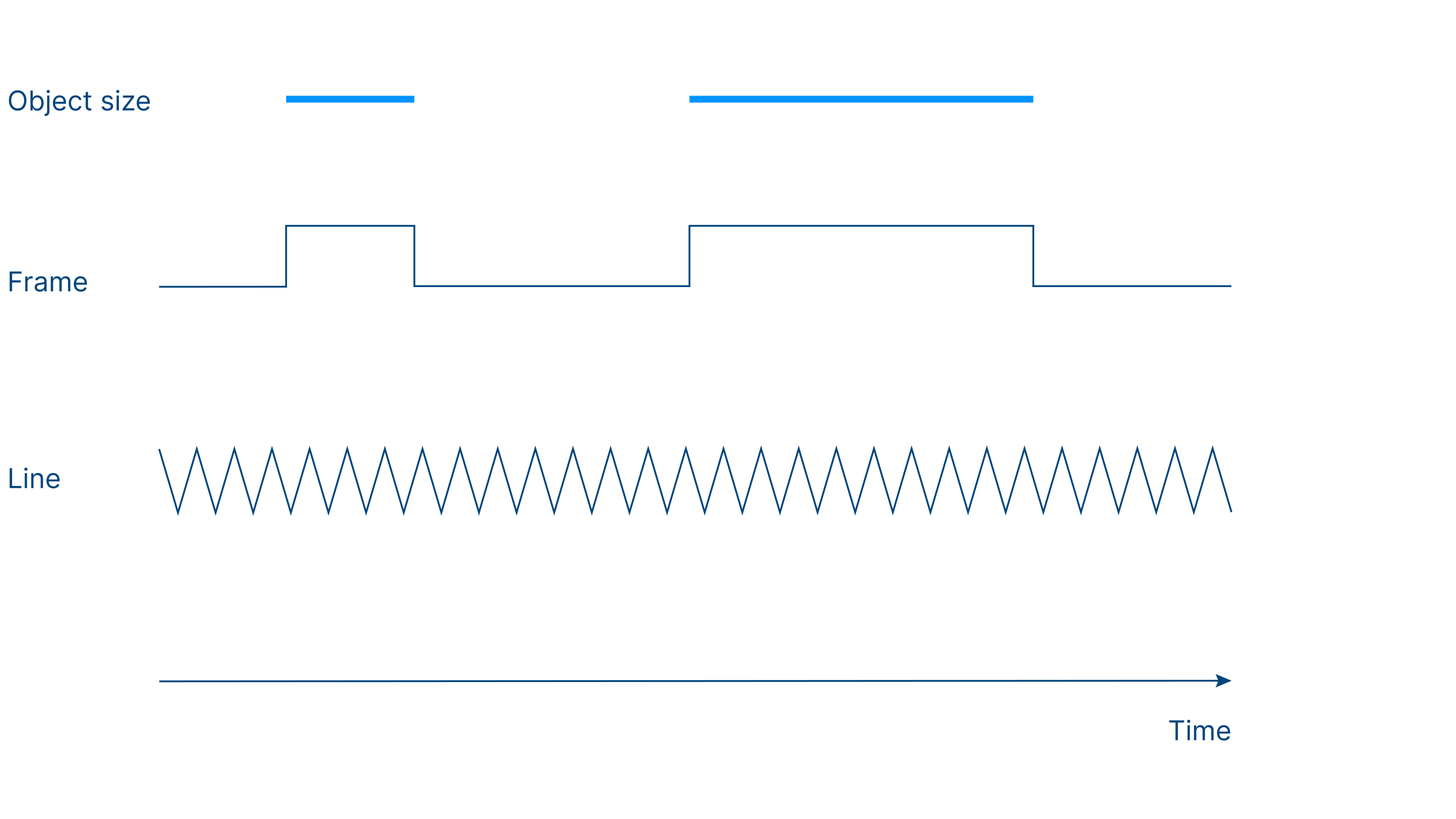
With the right trigger settings, any object size can be captured precisely in one frame - regardless of the length or width of the object.
Dynamic frame generation with up to 12,000 lines
A practical example: A machine first inspects a small object with a length of 780 mm and a width of 300 mm. This is followed later by a much longer object with a length of 1,420 mm and a width of 270 mm. Assuming a resolution of 10 pixels per millimeter , the following frame sizes result:
The smaller object fits completely into a single frame with a resolution of 7,800 pixels × 4,096 pixels.
The longer object is split into two frames:
First frame: 12,000 pixels × 4,096 pixels
Second frame: 2,200 pixels × 4,096 pixels
Basler's racer 2 S line scan cameras enable the precise inspection of fast-moving objects with different lengths. This makes the inspection process efficient and is ideal for quality control in flexible production lines.

Acquire lines instead of areas - and process image data efficiently
In contrast to area scan cameras, line scan cameras acquire the image line by line and combine these lines to form a complete image. This means that image data is used particularly efficiently. Duplicate images of object areas - especially with long objects - are avoided and excellent image quality is achieved at the same time.
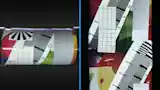
No optical distortion
Area scan cameras require a predefined adjustment of the "Region of Interest" (ROI) to the object size. With changing formats, this must be reconfigured regularly to avoid vignetting, for example. Line scan cameras, on the other hand, do not require any information about object length or size: the trigger dynamically determines the image height (number of lines) for each frame.
Sharp image edges even with curved objects: When recording cylindrical objects with area scan cameras, optical distortion and blurring often occur due to the curvature - especially at the edges. Line scan cameras, on the other hand, capture the object continuously line by line. This produces uniformly sharp images without distortion - even at the edges.
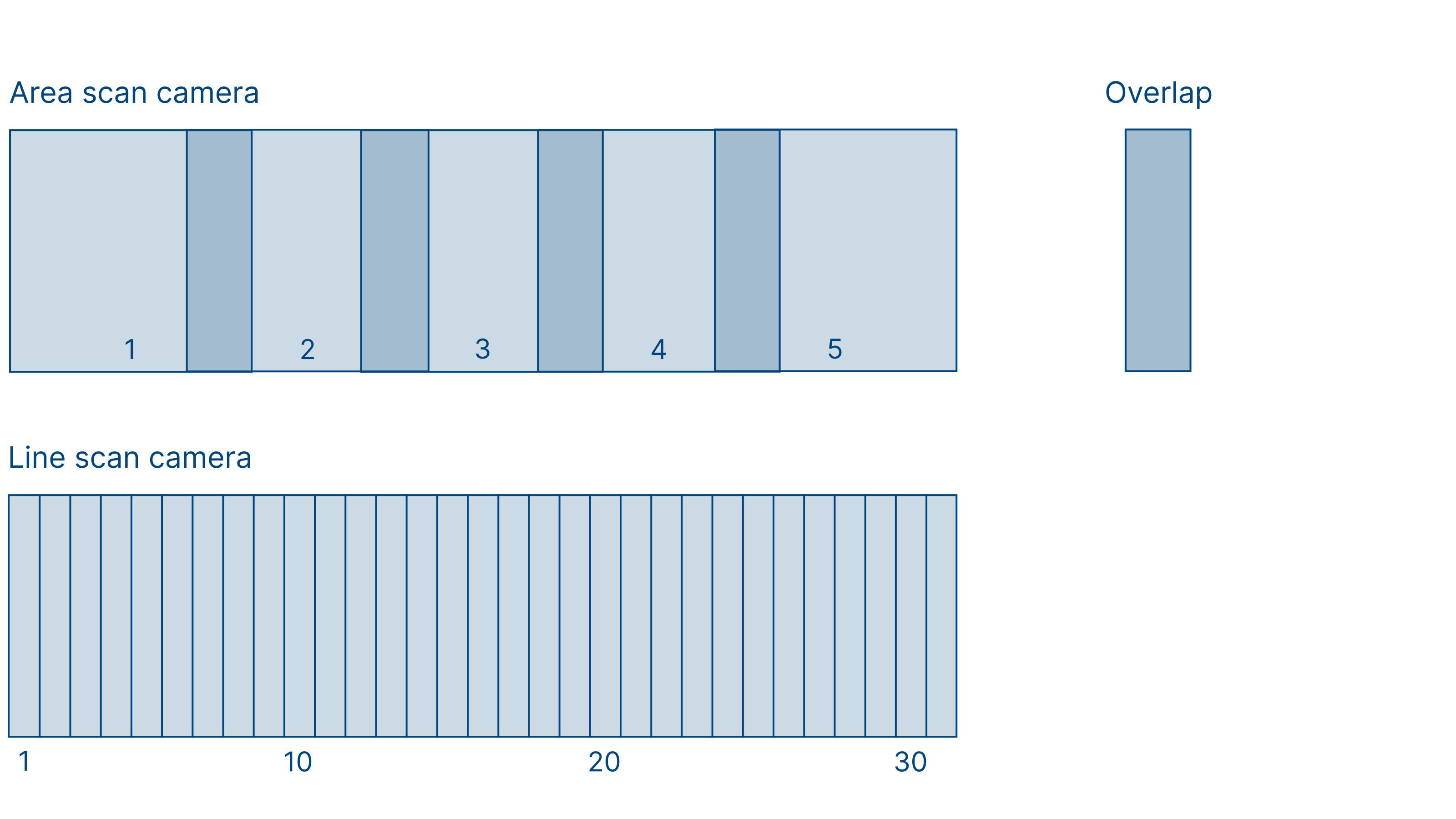
Image stitching: No duplicate object areas
Stitching for line recordings enables the seamless joining of consecutive frames or image lines to create a complete image without gaps.
Double image components, which can occur with area scan cameras due to overlapping images, are reliably avoided
Each object - regardless of its length - is efficiently mapped in a single image frame.
If an object exceeds the maximum frame length (e.g. 10,000 or 12,000 lines, depending on the camera model), the camera automatically creates an additional frame.
Triggering made easy: precise control of line scan cameras with the pylon Software Suite
Basler line scan cameras can be conveniently configured using the pylon Software Suite. There, line and frame triggers can be precisely coordinated. Additional functions, such as the DataChunk feature, support an even more precise assignment of the recorded image data, especially with GigE cameras .
One object - one frame: precise triggering makes's possible
The configuration of the racer 2 S is simple: by coordinating line and frame triggers , image frames can be precisely tailored to the inspected objects. This means that each object - regardless of its length - occupies exactly one frame.
At the same time, the trigger settings ensure sufficient resolution and distortion-free image display . This is made possible by combining object triggers (e.g. light barriers or PLC signals) with encoder-based line triggers.
Intelligent frame management with the DataChunk feature
GigE line scan cameras do nottransmit each recorded line, but combine several lines into a larger frame. The captured lines are collected in the camera's buffer memory. With each recorded frame, the camera transmits additional metadata - so-called DataChunks. These contain, among other things:
Exposure Time - the exposure time
Frame counter - the consecutive number of the frame
Timestamp - the exact time of the recording
Thanks to this information, each frame can be clearly identified and reliably assigned to the associated object.
To the racer 2 S models with DataChunk featureStep-by-step instructions for triggering available in our product documentation
Instructions for triggering GigE line scan cameras with varying object sizes in the following scenarios can be found in our product documentation:
One frame per object: The image height is predefined, the camera starts a single frame for each object.
Multiple frames per object: The object trigger initiates a frame burstsequence. The resulting images can be combined on the software side.
Variable number or height of frames: The camera captures exactly as many lines as an object requires - controlled via the high-level signal of a presence sensor, for example. Ideal for widely varying object lengths.
racer 2 S camera models
Find the right camera for your application or use our Vision System Configurator to configure your system.