CoaXPress 2.0 for Your Vision System
The abbreviations CoaXPress and CXP refer to coaxial cables that have been optimized for image processing. The industry standard is characterized by high real-time transmission speeds, which reach up to 12.5 Gbps per channel with CoaXPress 2.0. This allows large amounts of data to be transmitted reliably over a single cable.
Last updated: 03/14/2024
Reading time: approx. 9 Minutes
The most important things to know about CoaXPress 2.0
CoaXPress 2.0 enables the transmission of large amounts of data at a data rate of up to 12.5 Gbps per channel and provides power over a single coaxial cable (Power-over-Coax).
It is a vision interface with one of the lowest cost per megabyte.
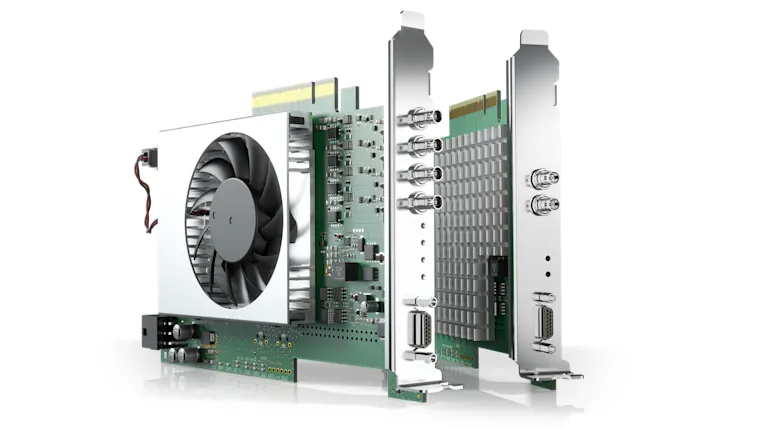
An additional interface card or frame grabber is required for use, reducing the CPU load and enabling efficient data processing.
The interface supports easy synchronization of multiple cameras and the GenICam standard for seamless integration of the camera, interface, and software.
Due to its high data rates and long transmission distances, CoaXPress 2.0 offers advantages particularly in the semiconductor industry, 3D AOI systems, printing and food inspection, traffic technology, and medicine.
What makes CoaXPress 2.0 special?
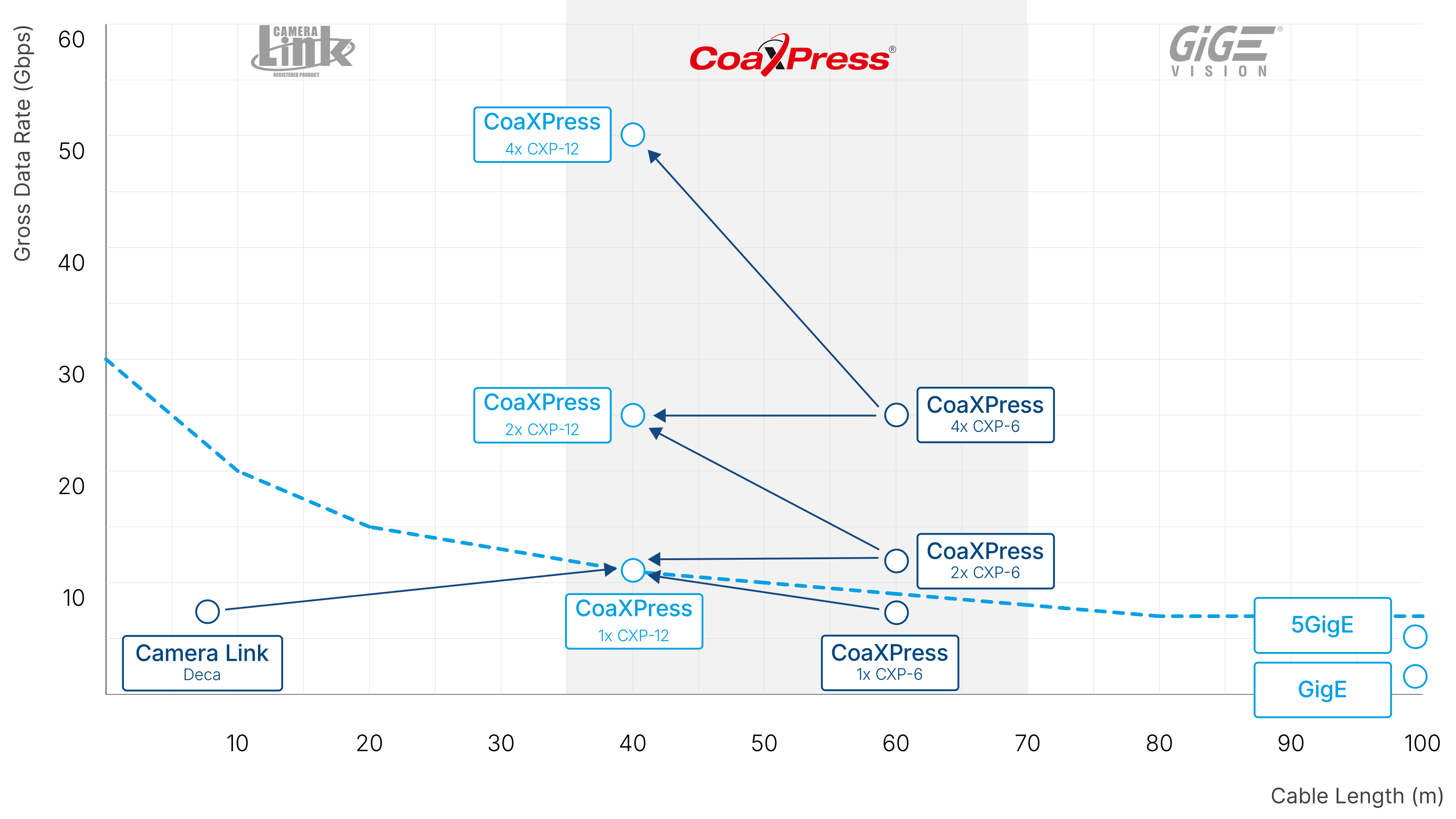
Compared to the previous version, CoaXPress 2.0 reduces the number of cables needed. Where multiple cables were previously required, this version transmits everything over a single coaxial cable. Both data and power are transmitted over this cable—at a high bandwidth of up to 12.5 Gbps per channel.

If you choose CoaXPress, you'll' need to upgrade your PC. While other interfaces, such as GigE or USB 3.0, are already standard features on most PCs, CoaXPress requires an additional interface card or frame grabber. This is the only way to transfer data from the camera to the PC.
Using an image acquisition card has the advantage of reducing the load on your computers' CPU. This frees up more processing power for other tasks, such as image processing.
Advantages of CoaXPress as an interface
With its high-speed interface, you can take full advantage of modern high-resolution image sensors with a high frame rate to achieve maximum performance in your applications.
Cable length: While USB 3.0 is limited to a maximum cable length of 10 meters, CXP allows for transmission distances of up to 40 to 100 meters (at lower bandwidth).
Cost advantage: CXP requires only a single cable for both data transmission and power supply, making the CXP interface one of the lowest-cost per megabyte.
Synchronization: With CoaXPress 2.0, multiple cameras can be connected to a computer and easily synchronized with each other. This allows even moving objects on a conveyor belt to be captured.
Speed: At 12.5 Gbps, CXP sets a high standard in data transmission as an interface. The speed of your computer can also benefit as the CPU load is reduced.
Minimal latency: CoaXPress 2.0 offers very low latency—just a few microseconds—for demanding real-time applications, with deterministic, very low jitter.
Compatibility: The interface supports the GenICam standard, which also ensures the connection of camera, interface, and software.
Easy setup: There is only one cable that connects to the computer. This means you only need to install and connect three components. There is also only one type of connector: the compact Micro-BNC (HD-BNC) connector.
Setting up a classic CoaXPress 2.0 image processing system
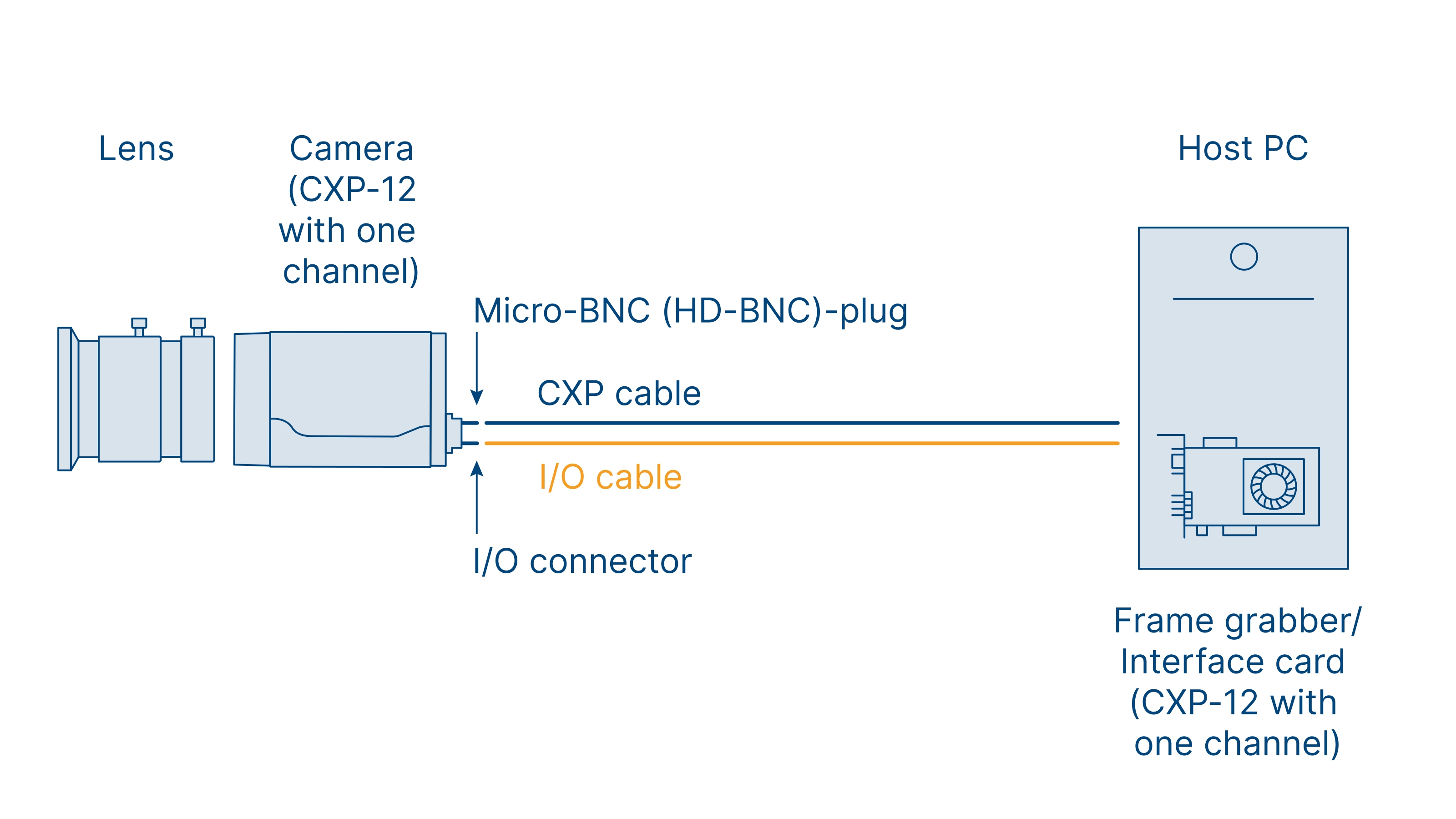
The diagram shows the typical architecture of a CoaXPress 2.0 system. The CXP camera tends to be larger than compact USB 3.0 or GigE cameras. Among other things, this is due to the larger sensors used, which generate more heat that must be dissipated.
Compared to the previous version, this allows for a more streamlined system design with fewer data cables. I/O cables are often unnecessary because power supply and triggering are ensured via the Coaxial cable (single-cable solution). The standardized cable connections for the camera and image acquisition card are also more robust than before.
Which application areas benefit from CoaXPress?

CoaXPress systems are particularly well-suited for applications that require synchronized image acquisition from multiple high-resolution cameras at high speeds. This is where the standard really shines, thanks to its high bandwidth and ability to bridge long distances between the camera and the PC. This makes it possible, for example, in the semiconductor industry to acquire a moving object from multiple perspectives. In 3D AOI (Automated Optical Inspection) systems, large amounts of high-resolution data can be processed without significant latency. Other areas of application include print inspection, manufacturing automation, sports and motion analysis, food inspection, traffic technology (ITS), and medicine.
Upgrade to CoaXPress 2.0
If you want to upgrade your system from an older version to CoaXPress 2.0, you do not have to replace all of the components. The standard is compatible with the first CXP version, so a system with mixed generations is functional. However, you could lose new product features, which is why a complete changeover is always worthwhile in the long term.
If you are switching from another interface to CoaXPress 2.0, you should check a few factors:
Are the camera and computer compatible with the new cabling and the associated high data and resolution rates?
Is a power supply via Power-over-Coax possible?
Do software and drivers need to be updated?
What distinguishes the interface card from the frame grabber?
Unlike USB and GigE, CoaXPress is a specialized machine vision interface. Thus, standard PCs do not come equipped with the necessary hardware to connect CoaXPress cameras. This means an additional image acquisition card is required in the PC.
Frame grabber
The frame grabber provides the digital interface (CoaXPress, GigE, Camera Link) and temporarily stores the image data. Some frame grabbers perform preprocessing of the image data, such as binning or scaling. The data is also written to RAM via Direct Memory Access (DMA) without passing through the PC’s processor. Access to the image data from the frame grabber is usually achieved through specialized image processing software (e.g., Halcon) or standardized interfaces such as GenICam. The configuration effort and costs for a system with a frame grabber are comparatively high.
Interface card
Unlike a frame grabber, an interface card has a simpler design. It completely omits image preprocessing and simply receives the image data via the camera connection, then stores it directly in RAM. Here, too, DMA is used to bypass the CPU, thereby significantly reducing its workload. However, because the interface card does not perform image processing, both the cost and the configuration effort are lower.
Interface card vs. frame grabber
Features | Interface card | Frame grabber |
|---|---|---|
Preprocessing of image data (e.g., scaling) | No | Yes |
CPU relief via DMA | Yes | Yes |
Standard drivers/interfaces (e.g., GenICam) | Yes | Mostly |
Interfaces to image processing software (e.g., Halcon) | Yes | Mostly |
Installation and configuration effort | Low | Medium |
Costs | Low | Medium |
Conclusion: Benefit from CoaXPress 2.0
Large amounts of data at high transfer speeds over long distances: the CoaXPress 2.0 standard for industrial image processing makes all of this possible. Designed as the successor to the Camera Link standard, this machine vision interface does, however, require an image acquisition card in the PC. Given the large amounts of data, this is an advantage that reduces the load on the PC’s CPU. The CPU is then ready for the image processing application, since additional image preprocessing is moved to the card.
CoaXPress 2.0 has evolved into CoaXPress-over-Fiber. Learn more about it in the learning article.
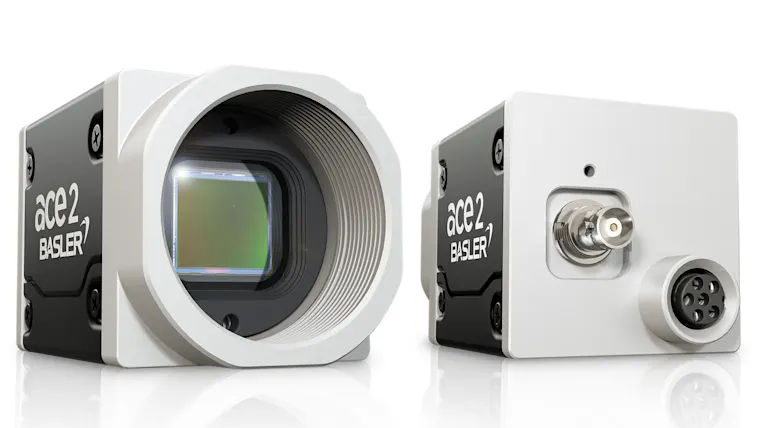
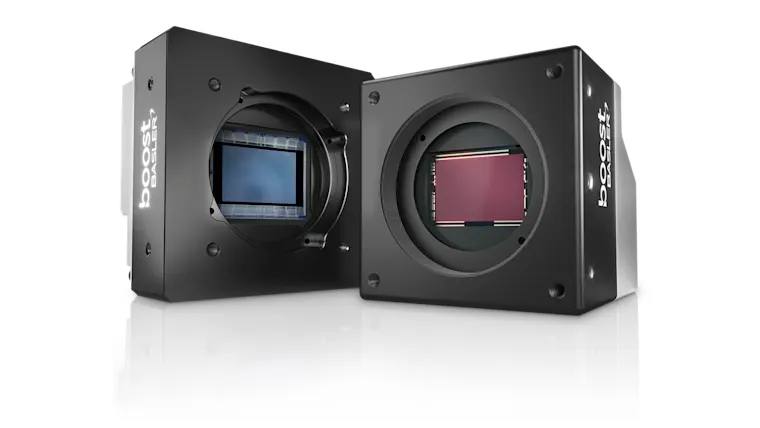
Our CoaXPress 2.0 products
Build your complete CoaXPress 2.0 vision system in our Vision System Configurator.

FAQs about CoaXPress 2.0
CoaXPress 2.0 is a high-speed interface (with a bandwidth of 12.5 Gbps per channel) for industrial machine vision systems. It enables the transmission of large amounts of data and the power supply for machine vision cameras via a single coaxial cable—ideal for demanding applications such as 3D AOI, print inspection, sports and motion analysis, and medical technology.
CoaXPress 2.0 achieves higher data transfer rates (up to 12.5 Gbps per channel) with very low, deterministic latencies, supports long cable lengths (up to 100 meters), and enables stable synchronization of multiple cameras. In addition, data and power are transmitted together over a single cable.
In addition to a compatible machine vision camera, an additional interface card or frame grabber is required in the PC. These components ensure efficient data transfer and reduce the load on the system's CPU. The frame grabber provides additional image preprocessing to improve image quality and drastically reduce the amount of image data. The additional cost of the frame grabber quickly pays for itself through savings on hardware such as CPUs and GPUs.
Yes, CoaXPress 2.0 is compatible with earlier versions. Mixed operation of different generations is possible. However, to take full advantage of all the new features, a complete system upgrade is recommended.
CoaXPress 2.0 is particularly well-suited for applications involving high data rates and long distances between the camera and the PC, such as semiconductor inspection, food inspection, print inspection, traffic technology, and medical imaging.