Optimal Image Quality with Basler PGI
Maximum image sharpness, low noise values, and brilliant colors
With PGI image optimization, you benefit from sharper, lower-noise, and more color-accurate images – directly from the camera. The PGI Feature Set combines advanced PGI debayering, effective Color-Anti-Aliasing, adaptive Improved Sharpness, and intelligent Denoising. This allows you to achieve the best image quality for demanding industrial applications – efficiently, reliably, and easily integrate.
Last updated: 05/04/2023
Reading time: approx. 9 Minutes
The four core functions of the PGI Feature Set
PGI Debayering: Better color transitions, fewer artifacts
Color-Anti-Aliasing: Minimizes false colors at edges
Improved Sharpness: Higher level of detail, less aliasing (color fringing)
Denoising: Reduces luminance and color noise
PGI – Advanced image optimization directly in the camera
PGI is a fully integrated, FPGA-based image optimization solution that optimizes image data in real time directly in the camera. By processing images in-camera, PC resources are conserved, making the entire imaging chain more efficient. For vision engineers, this means consistently high-quality image data for their applications, reduced effort for downstream image processing, and less strain on system resources. The straightforward integration and flexible customization of PGI features enable rapid implementation of individual requirements — for maximum efficiency, precise analysis, and reliable results at every stage of a project.
Debayering – Image quality makes the difference
The debayering algorithm is crucial for the image quality of your machine vision camera. While classic standard debayering prioritizes speed, the PGI Debayering feature delivers significantly better results in terms of sharpness, color reproduction, and detail accuracy. The following comparison highlights the key differences at a glance.
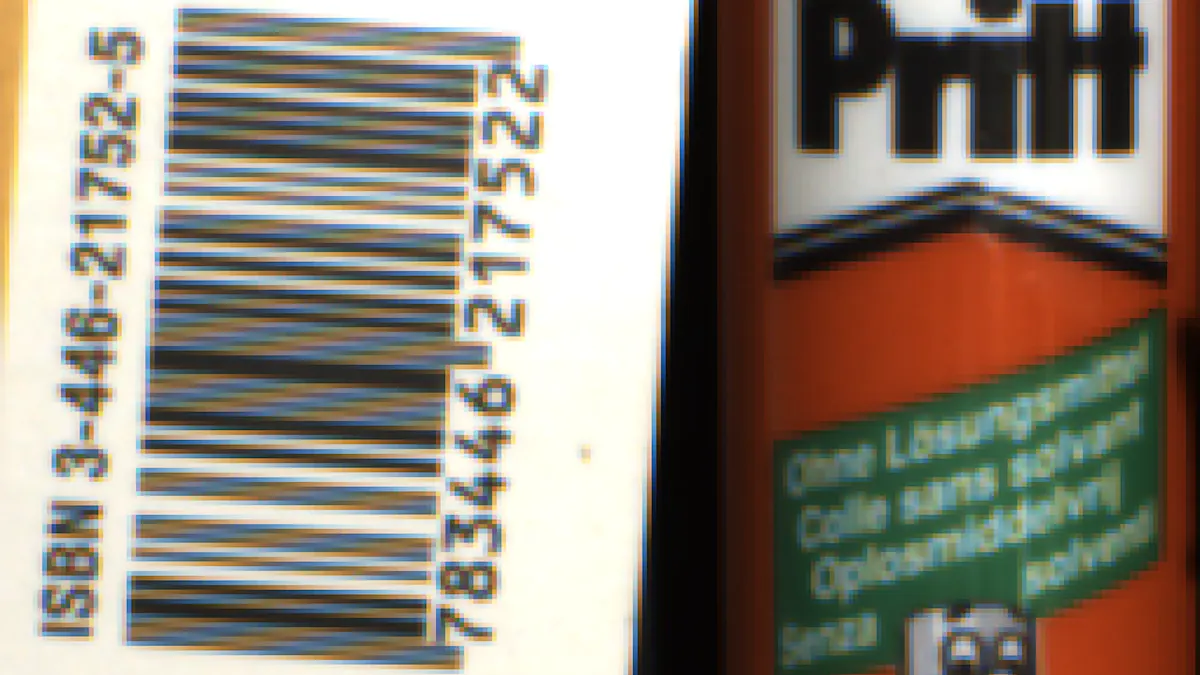
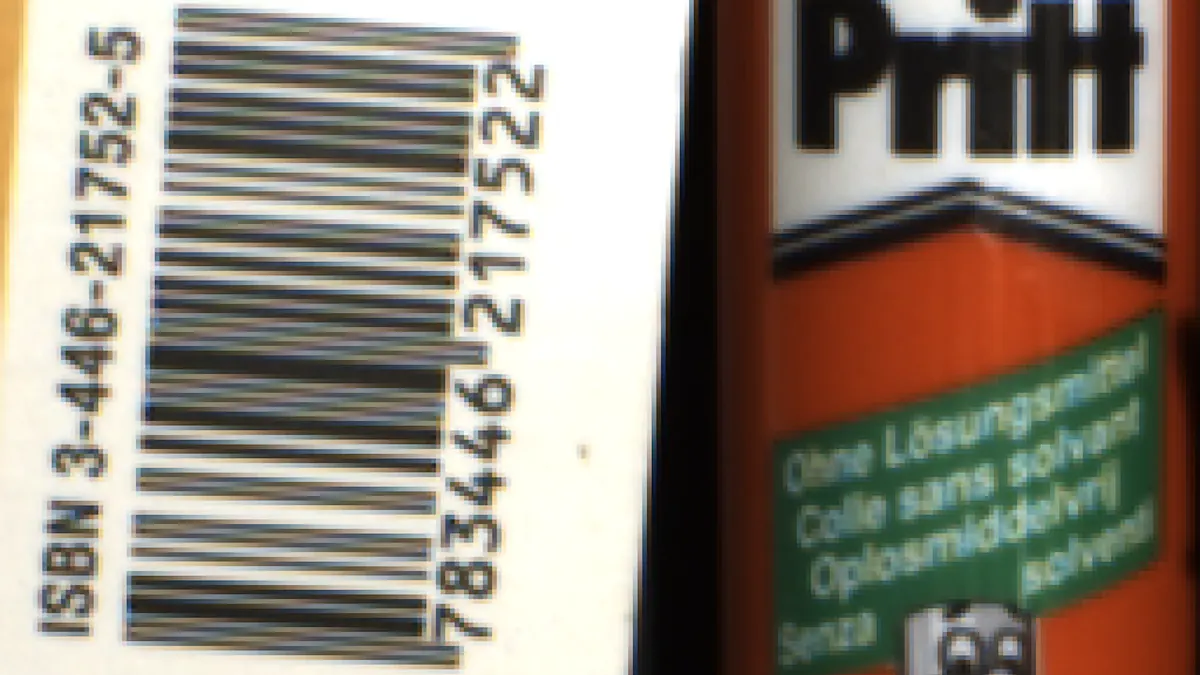
Comparison table: Standard vs. PGI Debayering
This overview shows: For demanding image processing tasks, PGI Debayering is the best choice when the highest image quality and reliable results are required.
Criterion | Standard Debayering | PGI Debayering (PGI) |
Interpolation method | Nearest Neighbour, 2x2 pixel | Advanced interpolation, 4x4 or 5x5 pixel |
|---|---|---|
Image sharpness | Low, often blurry | High, sharp edges |
Color rendering | Frequent false colors, color fringing | Natural, precise colors |
Detail accuracy | Reduced, details blur | High detail accuracy |
Artifacts | Strong artifacts at edges | Minimized artifacts |
Noise behavior | Increased color noise | Improved noise reduction |
Processing effort | Low, very fast | Higher, but optimized in-camera |
PGI Feature Set in detail: Four core functions for optimal image quality
The PGI feature set combines four powerful functions specifically tailored to the requirements of industrial image processing. Each component helps you get the maximum image quality and efficiency out of your machine vision camera.
Debayering (PGI):
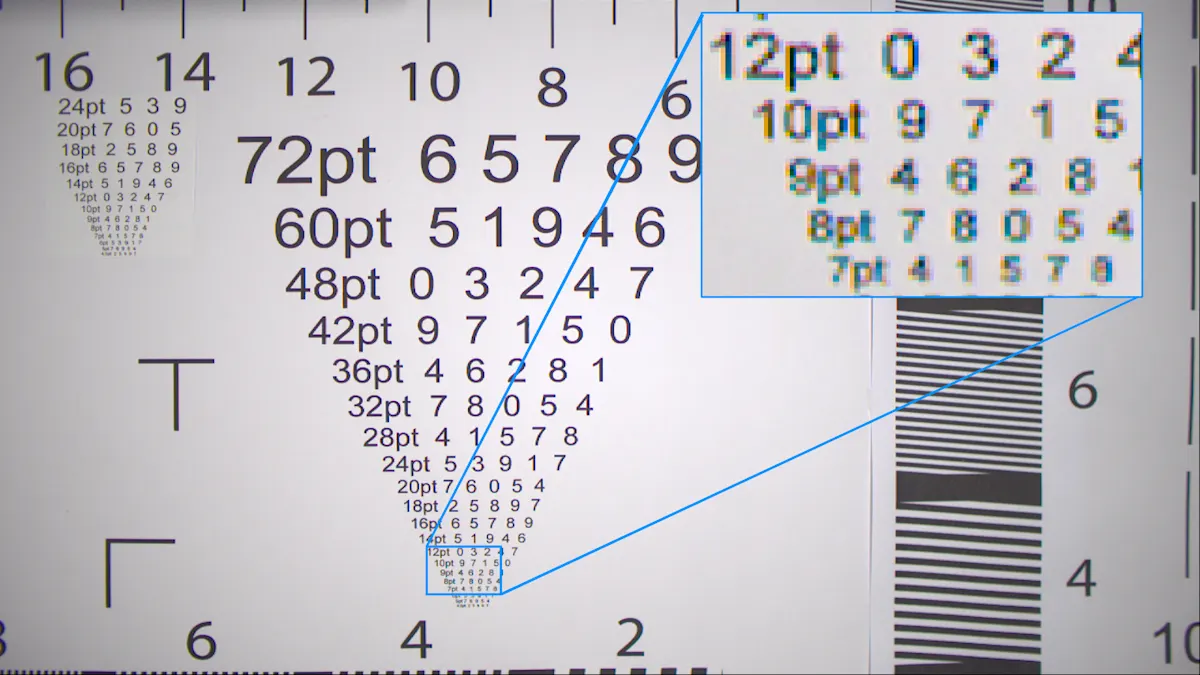
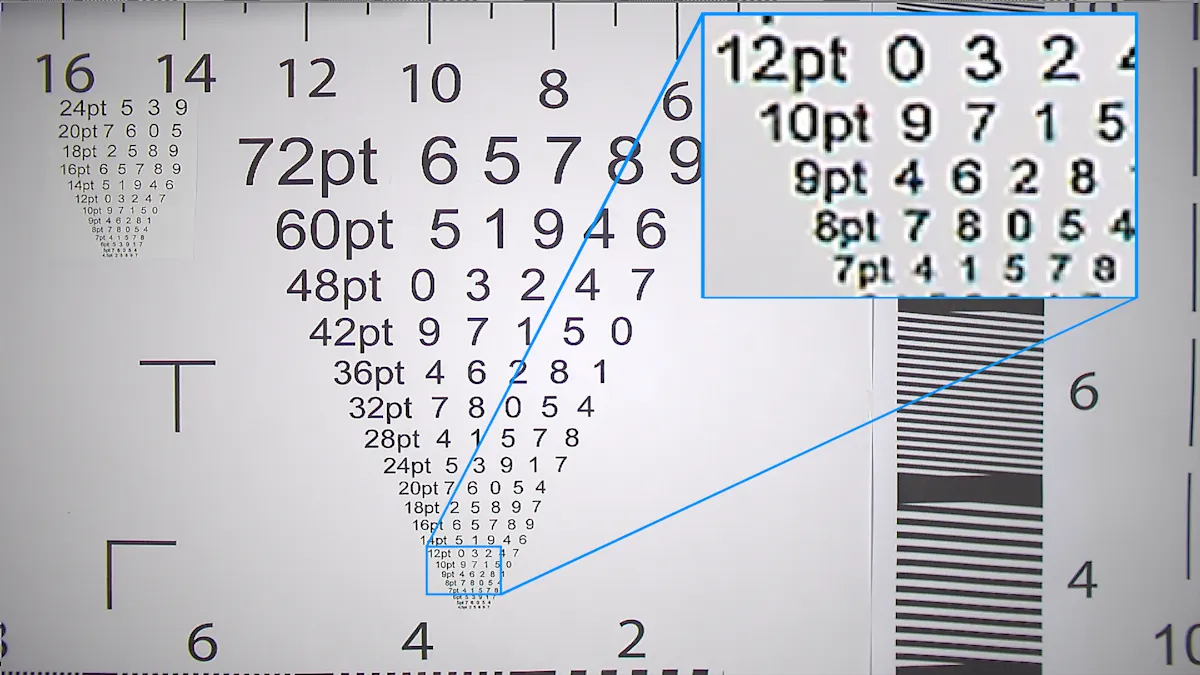
PGI Debayering calculates a complete color image from the raw data of the image sensor, featuring clear color transitions, high detail accuracy, and minimal artifacts. Compared to conventional methods, color fringing is significantly reduced and fine structures are reproduced with precision – a decisive advantage for demanding inspection tasks or the detection of small details.
Color-Anti-Aliasing:
Typical debayering algorithms often produce color fringing at edges and fine structures. PGI Color-Anti-Aliasing analyzes these critical image areas and corrects disruptive color errors. The result is natural colors and reliable color reproduction – even with complex subjects and high resolutions.
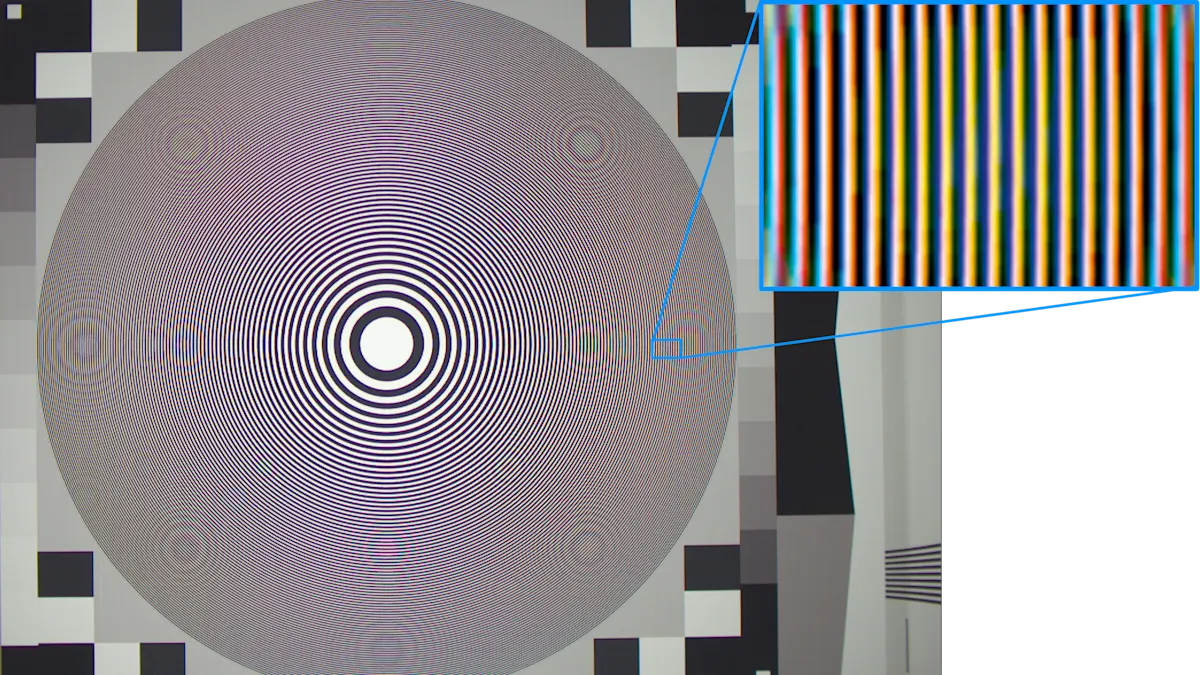
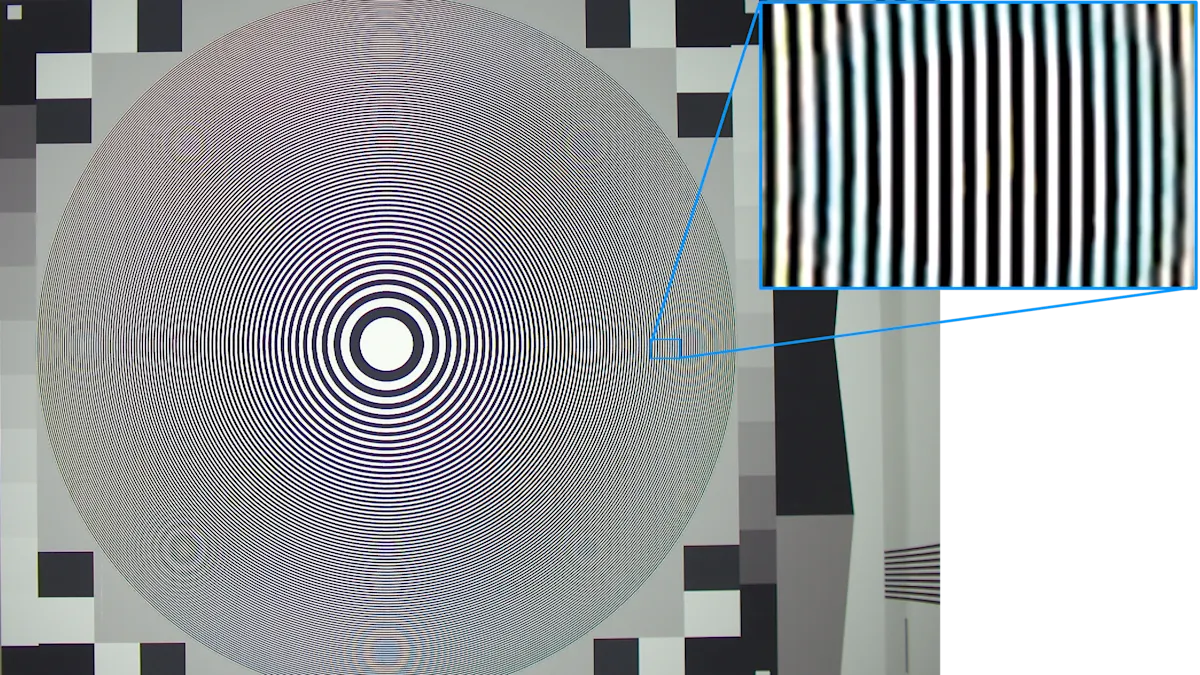
Improved Sharpness:
The adaptive PGI Improved Sharpness enhances details in the image without introducing additional noise. A structure-adaptive interpolation algorithm ensures that edges and fine structures are rendered clearly and precisely. The sharpness can be flexibly adjusted to suit the respective application – ideal for tasks such as barcode reading, text, or character inspection.

Denoising:
PGI offers intelligent, parallelized noise reduction that effectively minimizes both luminance and color noise. The filtering is specifically tailored to the requirements of industrial applications, ensuring consistently high image quality even in challenging lighting conditions or at high frame rates. The Denoising can be individually adjusted to achieve the optimal balance between image sharpness and low noise.
Cameras with PGI at a glance
PGI for monochrome cameras – greater precision through targeted optimization
Monochrome cameras also benefit from PGI technology: individually adjustable sharpening and noise filters allow image quality to be precisely tailored to specific requirements. While Debayering and Color-Anti-Aliasing are not relevant for grayscale images, the Improved Sharpness and Denoising features ensure sharp contours and low-noise imaging. This results in a significant improvement in image quality.
That is why Basler also offers PGI for monochrome cameras. In the factory default settings, the controls for Improved Sharpness and Denoising are each set to a neutral position, so that PGI passes on the original raw image in a bit-accurate manner. Only when our customers make appropriate adjustments to these parameters does PGI intervene in the image, making the quality improvement visible.
Comparison: Color vs. monochrome camera in machine vision
This table provides a quick overview of the key differences and advantages of both camera types in combination with PGI.
Aspect | Color Camera (Standard Debayering) | Color Camera (PGI Debayering) | Monochrome Camera |
Data transmission | Low bandwidth for raw data, higher after debayering | Same as standard, but better image quality | Low bandwidth, no color data |
|---|---|---|---|
Debayering | Required, high external processing effort | Integrated, efficient in real time | Not required |
PC utilization | High with external debayering | Low, as it is handled in-camera | Low |
Image processing pipeline | Complex, order-dependent | Simplified, optimized by PGI | Simple |
Image quality | Dependent on debayering quality, artifacts possible | Highest quality, minimal artifacts | Direct, no conversion losses |
Latency | Increased with external processing | Low, real time in the camera | Low |
Integration of algorithms | Limited, dependent on PC performance | Optimized, flexible in-camera | Efficient, no overhead |
Noise reduction/sharpening | Limited, potentially post-processing | Efficient, directly in the camera | Equally efficient |
Computing power and system integration
In addition to these features and advantages, PGI was consistently developed with a very lean and resource-efficient implementation in mind. All computing operations are executed in parallel on a 4 x 4 or 5 × 5 neighborhood and coordinated with one another based on the implementation of an FPGA (Field Programmable Gate Array), ultimately requiring little FPGA internal memory and a small number of computing operations. This makes it possible to perform these complex calculations within the camera without cost-increasing measures such as a larger FPGA or other processing units.
With PGI, we offer powerful in-camera image optimization. The significant reduction in host system processing load saves valuable resources. Customers benefit from excellent image quality with minimal integration effort. Our patented PGI Debayering delivers reduced false color rendering. This is complemented by intelligent sharpening mechanisms and effective noise reduction, providing consistent and detailed images even under demanding conditions.
Conclusion: Image quality and efficiency through integrated PGI image optimization
Due to integrated, FPGA-based image optimization, users benefit from natural colors, excellent sharpness, and minimal noise directly from the camera and without any additional system load. The four core functions enable flexible adaptation to individual requirements and ensure reliable, efficient results in every application. With PGI, you get a future-proof solution that makes your image processing simpler, more powerful, and more cost-effective.
Frequently asked questions about PGI
Debayering is a process used to calculate a complete RGB image from the incomplete color information of a Bayer sensor. Since each pixel in the Bayer pattern only captures one color (red, green, or blue), the missing color values for each pixel must be supplemented through interpolation. Only through this process is a usable color image with full resolution created – a fundamental requirement for industrial image processing with color information.
PGI Debayering uses an extended pixel area and more complex algorithms to calculate missing color values with greater precision. Compared to simple standard debayering, it delivers significantly more natural colors, sharper and smoother edges, and higher detail accuracy. Typical image artifacts such as color fringing and blurring are effectively minimized, which is particularly crucial in demanding applications such as character or barcode recognition.
PGI uses intelligent Color-Anti-Aliasing that specifically analyzes image areas with high spatial frequencies and corrects false colors. Particularly at sharp edges or in fine structures, simple debayering algorithms often produce disruptive color casts. PGI detects these areas and corrects the color values up to the so-called Nyquist frequency, ensuring that even complex subjects are rendered with true colors and free of artifacts.
Noise is caused by physical and electronic effects in the sensor and can be amplified by image processing steps. The PGI Denoising works in parallel and efficiently filters both gray and color noise from the image. Due to an optimized 5x5 Debayering filter, image noise remains minimal without losing important details. This ensures consistently high image quality even in difficult lighting conditions.
The PGI Improved Sharpness feature is ideal for applications where the finest details and clear contours are critical, such as automatic number plate recognition (ANPR), barcode reading, or text and character evaluation. The adaptive sharpening can be individually adjusted, compensating for optical weaknesses while keeping noise at a moderate level. This enables precise evaluations even at reduced resolution, increasing the efficiency of industrial image processing.


