pylon vTools : Recipe Code Generator
Générez un exemple de code C++ en quelques clics seulement.
Grâce au Recipe Code Generator pylon, les utilisateurs peuvent facilement créer des exemples de code, puis charger, exécuter ou traiter une recette pylon vTool dans leur environnement de développement et leur application.
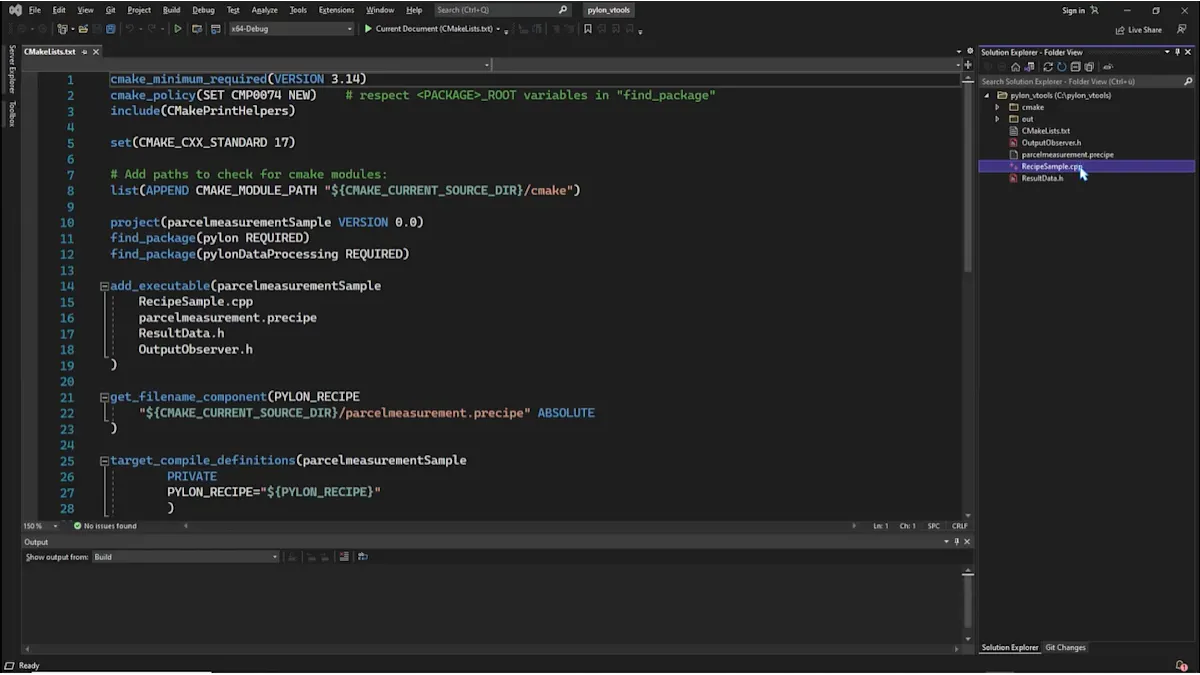
Le Recipe Code Generator facilite l'intégration d'une recette dans votre application basée sur Pylon.
Pour intégrer la recette à votre application, reliez les broches de données concernées au terminal de sortie.
Ensuite, enregistrez la recette.
Ouvrez le Recipe Code Generator depuis la barre d'outils du Workbench.
Saisissez le nom d'une recette, puis cliquez sur Générer .
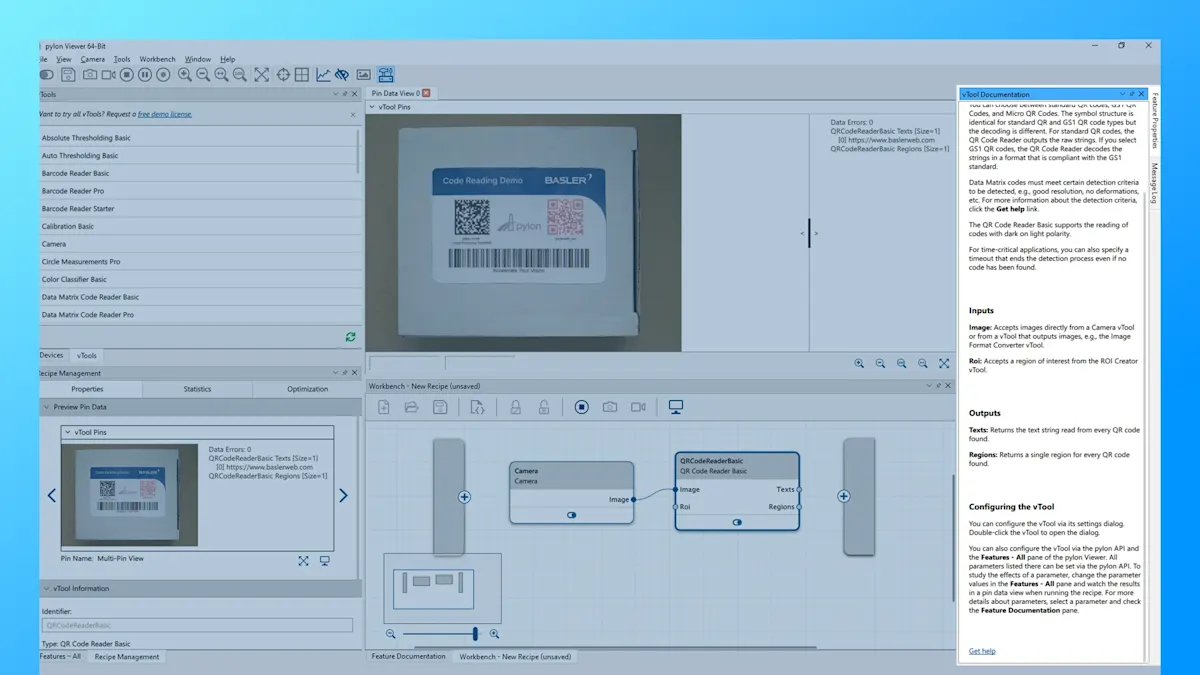
Intégré : Documentation sur les produits Basler
Nous avons intégré la documentation à la suite logicielle Basler pylon :
La zone vTool Documentation sur le côté droit de pylon Viewer
Pour plus d'informations, faites défiler la page vers le bas et cliquez sur Obtenir de l'aide . Ce lien vous redirigera vers la Basler Product Documentation.
Astuce : vous pouvez consulter à tout moment la documentation des produits Basler depuis le pylon Viewer, même si vous n'êtes pas connecté à Internet.
Les outils pylon vTools vous intéressent et vous souhaitez les essayer ?
Demandez dès maintenant une licence d'essai gratuite, testez tous les vTools avec l'ensemble des fonctionnalités et découvrez quels vTools permettent de résoudre vos problèmes de vision.
Plus de tutoriels sur pylon vTools


pylon vTools
Compléments logiciels flexibles pour la vision industrielle
Avec pylon modulaire vTools, vous n’achetez pas une vaste bibliothèque de vision, mais uniquement les fonctions de traitement d’image nécessaires – basées sur l’intelligence artificielle ou des algorithmes classiques. Sélectionnez la licence appropriée (licence Starter, Basic et Pro) avec la gamme de fonctions souhaitée.