Lens and Lighting Control at Basler
Utilizing the camera. In a single SDK. Easier than ever.
Discover a vision system that lets you control the lens and/or lighting using a single camera I/O line and a single SDK. Our solution provides minimal hardware and software requirements and easy integration.
Since it has a modular design, you can configure the vision system to precisely meet your requirements, rather than adapting your application to a predefined system.
Flexible setup
Configure your system using a modular approach, selecting the control option—lens, lighting, or both.Minimal hardware
You can connect the camera, lens, and lighting using just one Basler Sync Cable—without any additional cables or controllers.Simple integration
You can control the camera, lens, and lighting using a single SDK due to GenICam compliance across all functions.Scalable solution
Gain flexibility because I/O lines remain available for other machine and process control functions.
In customer projects, we consistently find that acquiring the image is not the biggest challenge. The real effort lies in integrating and synchronizing the camera, lens, and lighting. Our lens and lighting control system significantly reduces this effort and simplifies the implementation process for vision engineers.

Basler offers 3 control options
Machine vision applications vary widely: Many achieve the best results through a combination of lens and lighting control. Some require only lens control, while others require only lighting control.
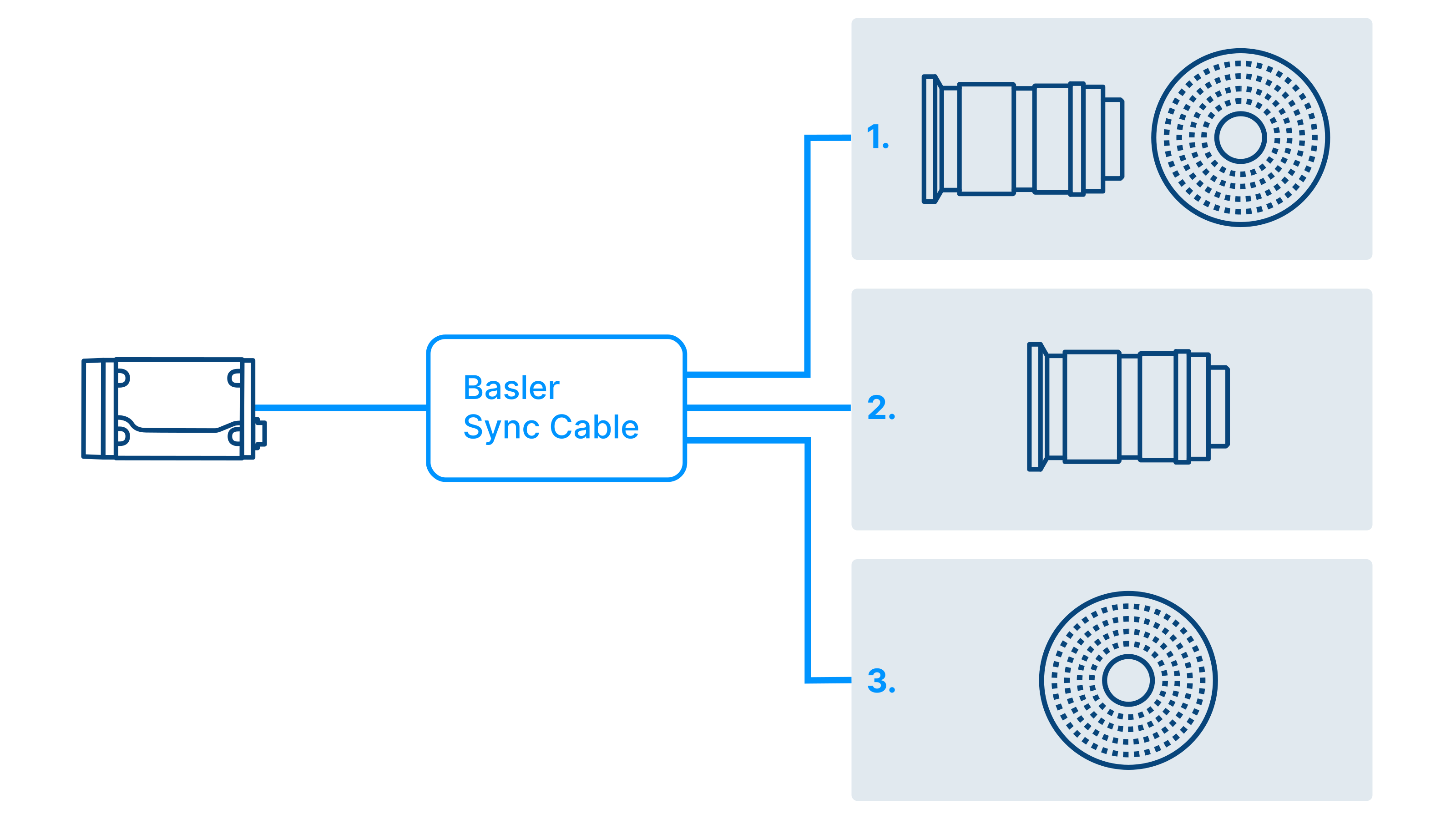
With our modular approach, you’ll find a streamlined solution for all three scenarios. You determine the control option by selecting the Basler Sync Cable. It connects either
camera, lens, and lighting, or
just the camera and lens, or
just the camera and lighting.
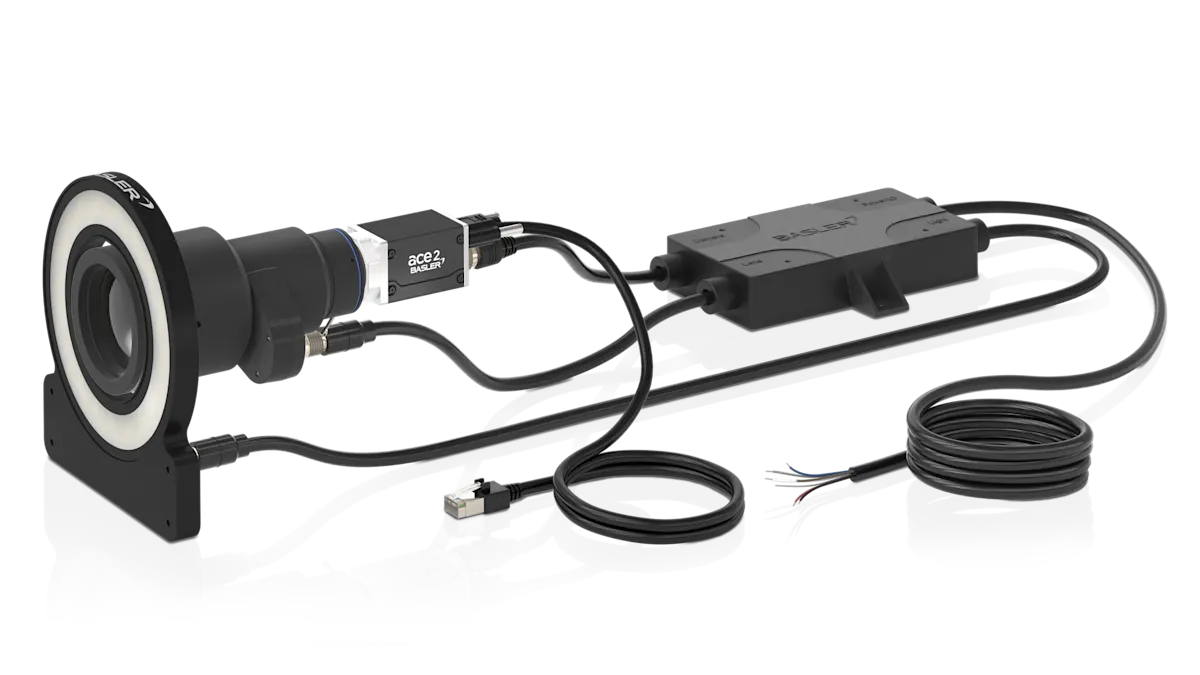
You don’t need any external controllers or additional cables to control the lens and the lighting.
The components of your vision system with lens and lighting control
Use the modular design principle to configure your vision system with lens and/or lighting control. Our product portfolio includes all components in various configurations, giving you maximum flexibility.
ace 2 or boost area scan camera
The ace 2 and boost R cameras include a feature for lens and lighting control. Select a model that meets your needs.
The compact ace 2 models offer the widest variety.
GigE, 5GigE, 10GigE, CoaXPress, USB 3.0, or GMSL2 interface
Frame rate up to 240 fps, resolution up to 25 MP
Global and rolling shutter CMOS sensors, UV to SWIR
The boost R models are ideal when high bandwidth and resolution are required.
CoaXPress interface
Frame rate up to 400 fps, resolution up to 16.1 MP
Global shutter CMOS sensors from Sony
Basler Sync Cable
The Basler Sync Cable is a smart power-I/O cable that enables lens and lighting control through the camera using a single SDK.
Assorted Basler Sync Cables for the three control options
A single Basler Sync Cable connects the camera, lens, and/or lighting.
Control via bidirectional communication over a camera I/O line, leaving a GPIO line and an optocoupler input free for other electronics, for example.
Supplies power to the lens, the lighting, and, optionally, the camera.
Various cable lengths are available.
Also, select a data cable that is compatible with the interface you are using for data transfer from the camera to the host system.
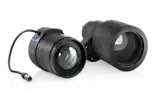
Motorized lens or liquid lens
Choose between motorized lens and liquid lens. With the Basler Sync Cable, the lens can be controlled through the camera using the same SDK and is powered by the camera. No external controller or additional cables are required.
Motorized lenses from Computar:
Automated focus, zoom, and aperture adjustment
Suitable for sensor sizes up to 1/1.1" and resolutions up to 20 MP
Fixed focal lengths ranging from 8 mm to 75 mm or a variable focal length range
Liquid lenses from Optotune:
Electronic focus adjustment without mechanical components
Ideal for sensor sizes up to 1.1" and resolutions up to 2.7 µm
Fixed focal lengths ranging from 12 mm to 50 mm and apertures ranging from F3.1 to F5.4
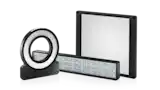
Lighting
All Basler LED lighting include a control feature. When used with the Basler Sync Cable, the lighting can be controlled through the camera using the same SDK. It is also powered by the camera.
Various types of lighting, ranging from ring lights to bar lights to back lights
Each type of lighting is available in different sizes
All light colors, from white, blue, red, and infrared to UV and SWIR
No external controller or additional cables required

Software
Control the lens and/or lighting in your vision system easily and precisely through the camera using a single GenICam-compliant SDK, such as the pylon Software.
GenICam compliance of all control functions
No manufacturer-specific configurations required
Settings such as autofocus or strobe mode via one SDK
Sending commands from the camera to the lens and lighting through the Basler Sync Cable with precise timing
Through standard GenICam registers, both Basler cameras and components from various manufacturers can be controlled using the same API. This simplifies integration and enables a level of flexibility in hardware selection that was previously unattainable, all with identical application software.

Lens & lighting control: your modular system
Today, customers are no longer just looking for high-performance cameras, lenses, or lighting. They expect components that work together seamlessly and can be easily integrated into a high-performance vision system. With our lens and lighting control approach, we support the shift from individual components to integrated solutions.

By viewing the camera, lens, and lighting as a single, integrated system, we significantly reduce the effort required for integration and synchronization. This allows vision engineers to focus on what really matters: solving their application.

The right control option for every application
Not every application requires control of both the lens and the lighting. To meet a variety of requirements, you can flexibly choose whether to control the lens, the lighting, or both.

When to use lens and lighting control?
Combining both control methods is essential when both the object distance and the lighting requirements vary.
Application examples:
Improved detection rates for objects of various sizes in logistics: Autofocus compensates for changing distances, and strobing ensures precise flashes.
Complete defect detection during complex electronic inspections involving components of varying heights: Autofocus corrects for changing working distances with precise, sequential lighting.
Maximum reliability with moving robot arms and varying object geometries: Autofocus handles varying object distances, and strobing ensures flash synchronization accurate to the microsecond.

When to use lens control?
The lens control system ensures dynamic, fast focusing during:
Robotic systems with existing, fixed lighting
Medical devices with proprietary LED lighting
Compact systems with fixed, stable lighting
Application examples:
Reliable detection of variable box heights in package processing using autofocus
Fast and precise focusing of various sample holders and Z-heights in medical technology
In bin-picking and pick-and-place applications, the robot's movements cause the focus distance to change. The autofocus feature prevents blurring.
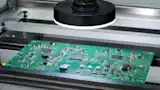
When to use lighting control?
The lighting control system ensures synchronized, reproducible illumination during:
Test stations with fixed spacing
High-throughput conveyor systems
Systems with fixed optics but complex lighting
Application examples:
Reliable fault detection in factory automation using strobing and overdrive
Consistent illumination across test cycles during inline quality control
High-intensity synchronized flashes freeze motion and enable license plate recognition
The benefits of Basler's lens and lighting control
Our vision system, which features lens and lighting control, offers you numerous advantages over other solutions. One such advantage is its lower system complexity.
Traditional lens and lighting control | Basler's lens and lighting control |
|---|---|
❌ Complex system with external controllers for the lens and lighting | ✅ Simple vision system setup without the need for external controllers |
❌ Complex wiring connecting all components to one another | ✅ Minimal cabling required with a single Basler Sync Cable |
❌ Limited component selection due to preconfigured vision systems | ✅ Flexible vision system configuration based on a modular design |
❌ No variable control of the lens, lighting, or both via the camera | ✅ Lens and lighting control, either individually or together, through the camera |
❌ Cumbersome control and synchronization, often across multiple SDKs | ✅ Quick and easy control of all components in sync using a single SDK |
❌ The lack of GenICam compliance among the functions makes control more difficult | ✅ All control functions are GenICam-compliant and can be controlled with a GenICam-compliant SDK |
❌ The system is not scalable because all I/O lines are in use | ✅ More complex tasks can be performed because I/O lines remain available |
The future of industrial image processing is not defined by individual components, but by the ability to develop, operate, and scale entire systems more easily. Our lens and lighting control approach is designed precisely for this purpose. This is another step towards fulfilling the promise of system interoperability and enabling a greater number of applications.

Step by step to your controllable vision system
In four steps, you can set up your vision system, which allows you to control the lens, the lighting, or both through the camera and using one SDK.




FAQs
To control the lens using your ace 2 camera, you simply need to update the firmware—there’s no need to purchase a new camera. You’ll also need one of our Computar motorized lenses or Optotune liquid lenses and a Basler Sync Cable. Contact us—we’d be happy to help.
The Basler Sync Cable is available in various lengths. This allows you to connect and control lighting fixtures that are farther away. Select the rightBasler Sync Cable for your application.
The system is open, as all control functions are GenICam-compliant. You can use an SDK other than Basler’s pylon software, as long as it is GenICam-compliant. Flexibly combine a Basler ace 2 or boost R camera, a motorized lens from Computar or a liquid lens a from Optotune, a Basler Light, a Basler Sync Cable, and the SDK of your choice.
The lens and lighting control can also be used for SWIR applications. To do so, combine an ace 2 X visSWIR camera, one of Computar’s motorized VSW lenses, a Basler SWIR light, a Basler Sync Cable for SWIR lights, and an SDK.
Only one of the camera's I/O lines is used for lens and lighting control since communication is bidirectional. A second GPIO line and an opto-input remain available. You can use them for additional machine and process control, such as by connecting other electronic components.