pylon vTools
Flexible add-ons for your image processing
pylon vTools and pylon AI vTools are powerful image processing and analysis functions using classical or AI algorithms. Simply drag-and-drop to create robust image analysis pipelines for quality assurance and tracking. The pylon vTools offer flexible integration, making them suitable for a variety of applications.
Easily create image processing designs
pylon vTools can be effortlessly combined via drag-and-drop, eliminating the need for programmingFast results
Test and adjust image processing pipelines directly on live images, with seamless integration into the target applicationAffordable: modular licensing model
Buy only the functions you need instead of an extensive image processing libraryLow error rate
High-performance algorithms and lean code ensure robust applications for reliable results



pylon vTools - Tutorials
No results were found for your search.
Please try one of the options below:
Try a different search term.
Try a more general search, e.g. start with fewer search terms and refine your search as you go.
Check that no filters are set and remove them if necessary.
Basler's pylon vTools are included in the current pylon installation. Download pylon
Demo:
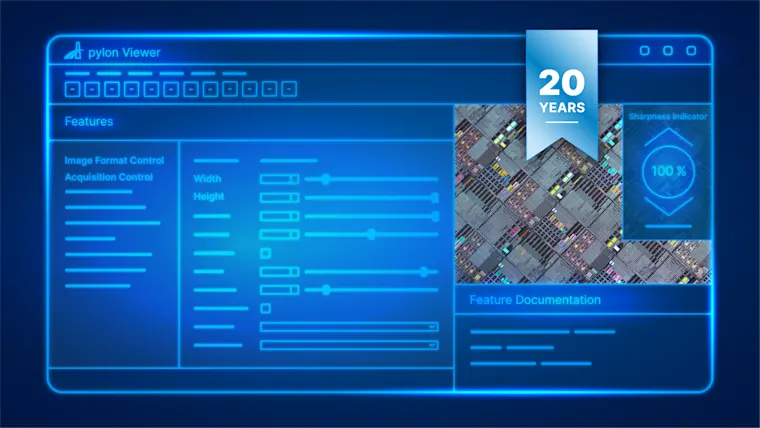
The pylon vTools can be activated via a link from the pylon Viewer. All you need is a valid e-mail address. pylon vTools can be tested in the pylon Viewer for 80 days after activation. Learn more
Trial license:
To evaluate the integration into your own program code via the pylon APIs, you need a free trial license. Learn more
It's available on request via this website. In the free trial phase, you can integrate all pylon vTools in their full range of features into your application and run them within your application for five minutes for 180 days. Request a free trial license
The license versions differ in terms of functionality, performance, and price. The Starter license version has a limited range of functions and performance, but is available at a very low price. The Basic and Pro versions offer more features and performance, for a higher price. In the pylon vTool "Specifications" section, compare which license version is best suited for your use case and test the pylon vTool features for free.
For trial or purchased licenses, you will receive a ticket number via e-mail. With this number, you can redeem the ordered licenses through our license portal and directly save them on a pylon vTools Dongle or on the corresponding system with the pylon installation. Learn more about activation
The pylon vTools licenses offer unlimited use on each system. A system can include any number of machine vision hardware components, such as cameras. As an extension of pylon, the pylon vTools are compatible with all Basler 2D cameras that can be accessed through pylon.
As an extension of pylon, pylon vTools work with all Basler 2D cameras that can also be addressed with pylon.
More information about the pylon vTools
Learn more about our products and applications. Our comprehensive materials provide you with all the important details.
No results were found for your search.
Please try one of the options below:
Try a different search term.
Try a more general search, e.g. start with fewer search terms and refine your search as you go.
Check that no filters are set and remove them if necessary.