We Give Technology the Power of Sight
Hardware and software from a single source
With more than three decades of experience, we create vision solutions that make life easier, processes smoother, and applications more efficient. Our wide range of products helps you to create your ideal vision system quickly and easily. All products are compatible and extensively tested. From consulting to implementation—we are there for you.



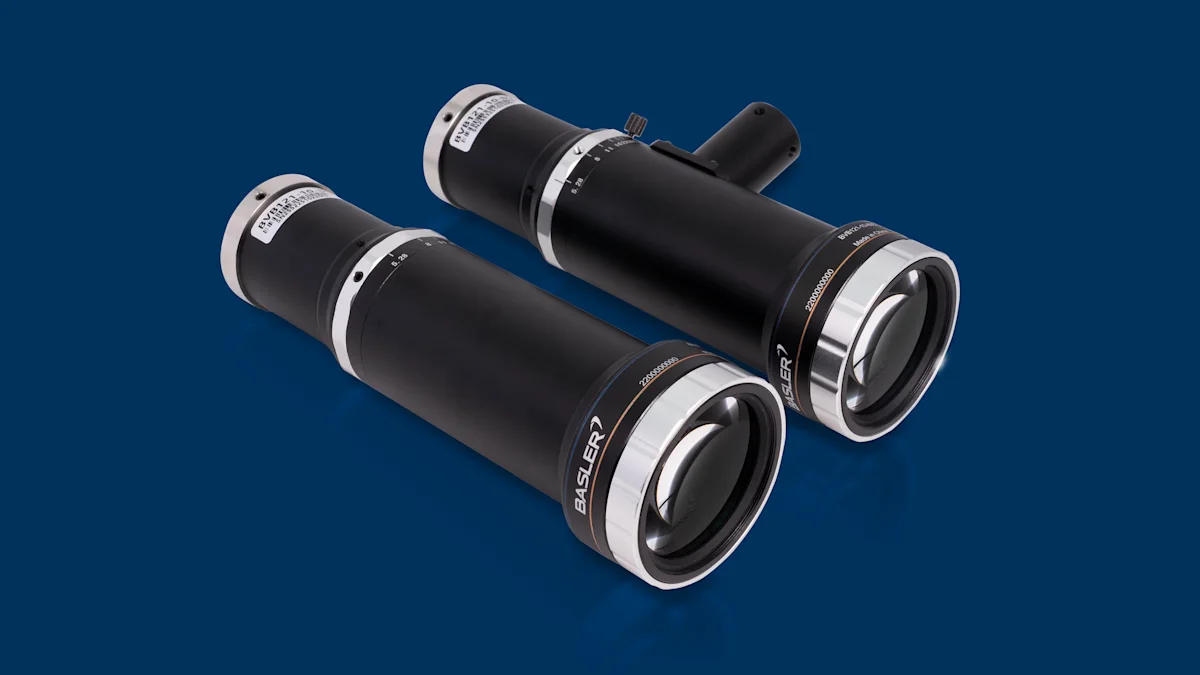
Telecentric lenses for the highest precision
The new telecentric lenses with variable iris are available for various sensor sizes and magnification scales, as well as with optional coaxial light coupling—for exact dimensional measurements and precise inspection.

ISO-Compliant Weld with Machine Vision
Automation reimagined: IUNA AI uses AI and imaging as an innovative data basis. The weld seam inspection process has already proven to be successful in the automotive industry.
Machine vision in action
Vision systems are indispensable for enabling efficient processes and delivering precise results in numerous applications across a wide range of industries. Innovative technologies are constantly expanding applications and enabling a wide range of solutions: